Before QuoteVero
- Scattered customer and cost information
- Manual formulas that are difficult to audit
- Unclear profit after overhead and taxes
- Quotes rebuilt from old copies

Build accurate estimates, understand your real costs, and send polished quotes—without replacing the spreadsheet your business already knows.
Early Access will be free. No card. No automatic charge.
Know the profit behind every price
Quote content remains in your Google environment
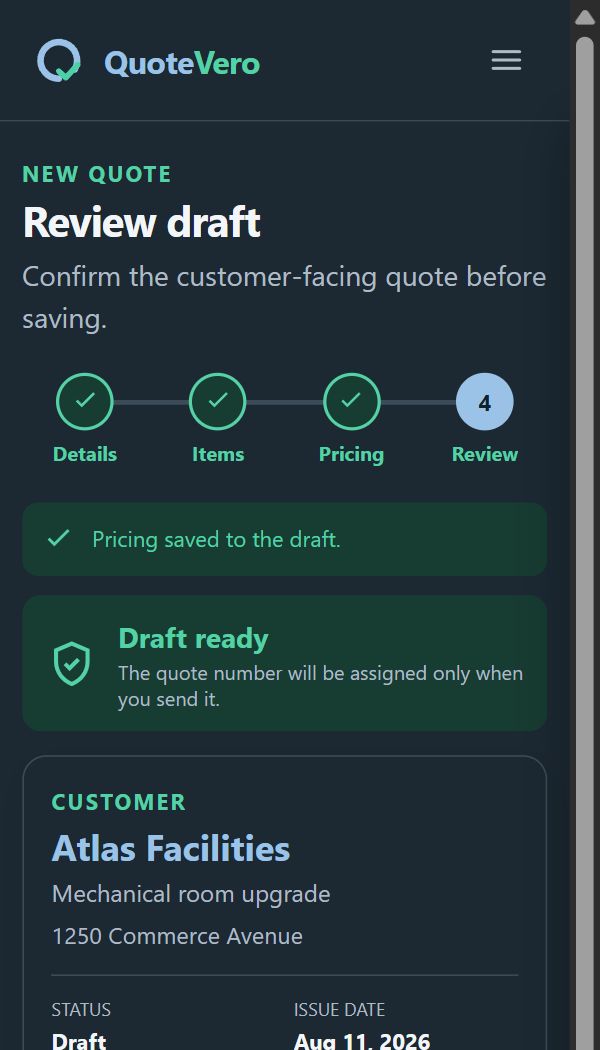
Create, review, export, and send from one flow
Built for the way service businesses really quote
Manual quoting makes it easy to miss overhead, confuse markup with margin, reuse outdated costs, or send an inconsistent document. QuoteVero turns that fragile process into a guided workflow.
Everything you need to quote with confidence
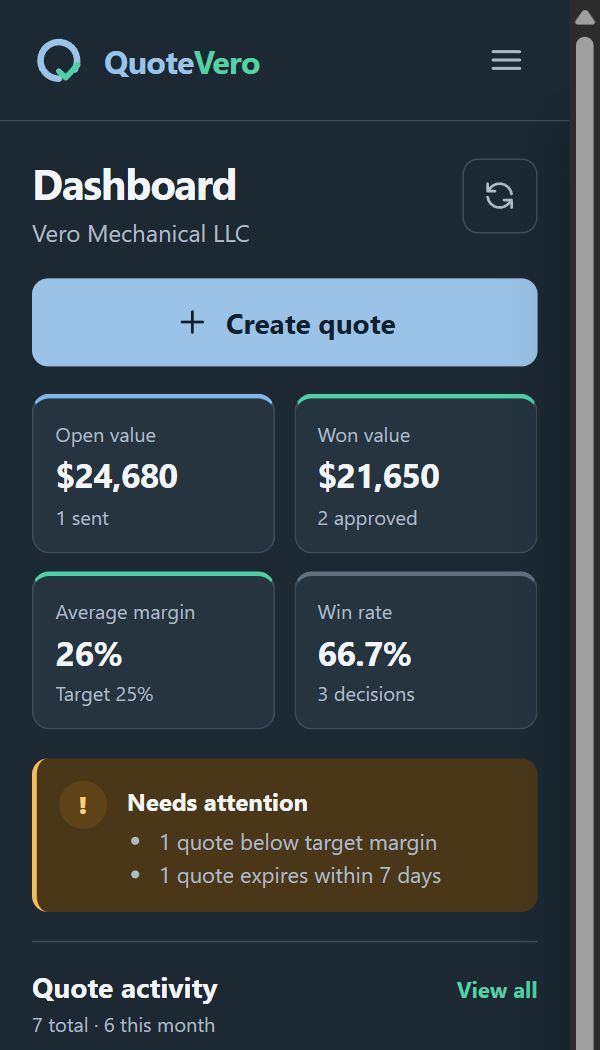
Calculate direct cost, overhead, contingency, markup, margin, discounts, and taxes with clear financial guardrails.
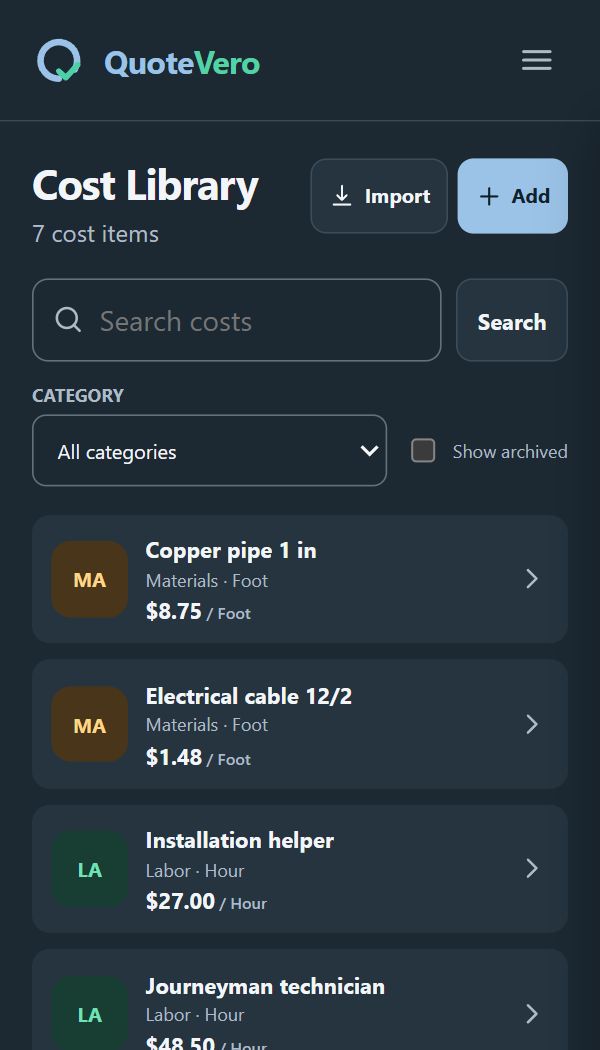
Build a cost library for materials, labor, equipment, transportation, and other recurring expenses.
Keep customer details, projects, addresses, and the email used to prepare delivery in one organized record.
Generate a branded, customer-facing quote without moving sensitive quote content to an external quoting database.
Review recipient, subject, message, and final PDF before sending from the authorized Google account.
Track drafts, revisions, sent quotes, approvals, rejections, and expirations without losing prior versions.
Simple on the surface. Careful underneath.
Add your company identity, defaults, taxes, quote numbering, and preferred document style.
Choose a customer, add items, review costs, and confirm the selling price and profitability.
Review the finished quote, generate the PDF, and send it only after your confirmation.
Built for Google Sheets on desktop
QuoteVero guides each task in a clean sidebar while the spreadsheet remains the source of truth for your quote content.
A practical launch, not a rushed one
Early Access users will receive the complete experience free and without a card. Paid plans will activate only after the stability criteria are met and the transition has been announced in advance.
For occasional quoting with essential tools.
For businesses that quote regularly and need the complete workflow.
Privacy by design
The first version is designed around the minimum Google permissions required to do its job. Quote calculations and customer content stay in the user-controlled Google environment; the QuoteVero service keeps only the operational data needed for identity, plans, usage limits, and reliability.
Read our privacy approachNo broad access to every spreadsheet in your Drive.
Sending uses a dedicated permission and cannot read your messages.
PDF creation does not require browsing your files.
Future payments will be handled by the authorized commerce provider, not QuoteVero servers.
Questions, answered
QuoteVero is currently in development. Private testing will come first, followed by public Early Access through Google Workspace Marketplace.
No. Early Access will include the complete Pro experience at no cost, without a card and without automatic billing.
No. It works inside Google Sheets and adds a guided interface, reusable records, financial rules, PDFs, and delivery tools.
No. The initial version does not request Gmail inbox access or broad Google Drive access.
The future pricing and activation date will be communicated in advance. Early Access users will not be charged automatically; they will choose whether to subscribe or continue on Free.
Your next quote should protect your business
Request an invitation to the private test and help shape a quoting tool built for real business work.